SMS
Text & a linkThe document is accessed
through a link.
TRANSACTIONAL MMS · SOUTH AFRICA
Send statements, invoices, account notices, confirmations and other transactional images using MMS Express — from your dashboard or directly from your own software.
Built for South Africa Dashboard or API
No separate messaging app required
Illustrative conversation
FOR EVERYDAY BUSINESS COMMUNICATION
StatementsInvoicesAccount noticesConfirmationsA MESSAGE WITH MORE TO SHOW
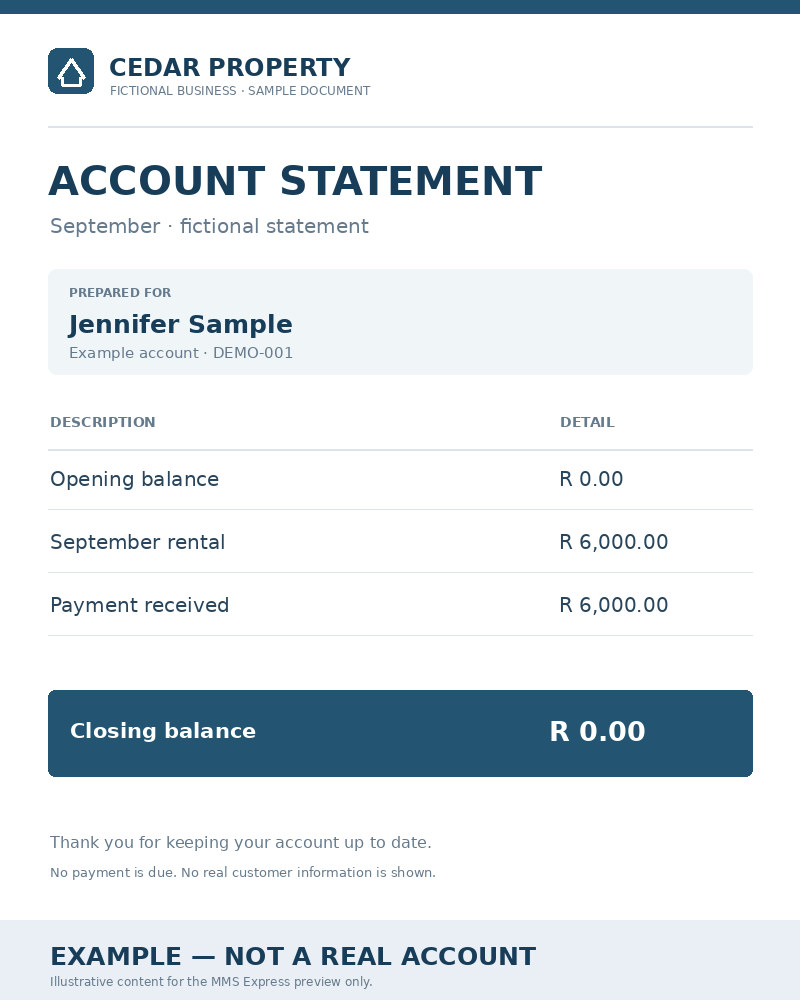
A text message can point a customer to information. MMS Express can include the relevant document image with the message.
The document is accessed
through a link.
The document image is included with the message.
Actual presentation and image retrieval depend on supported devices, networks and settings. Compare the two channels.
BUILT AROUND YOUR BUSINESS
Transactional business communication — not unsolicited advertising.


“Please see the attached update regarding your account.”
Keep the conversation goingAll documents are fictional examples. Send supported images; the recipient does not receive an original PDF.
A FAMILIAR CHANNEL. A USEFUL FORMAT.
No MMS Express app is needed. Reception requires compatible mobile messaging support.
Include the relevant image with a short customer message.
Use the recipient's supported mobile messaging experience.
Send from the dashboard, or connect your software through the API.
MMS isn't the answer to every customer message. It is particularly useful when the customer needs to see something, not just read a short line of text.
HOW IT WORKS
Choose a supported image and message in the dashboard, or prepare them in your software.
Choose the recipient and submit your message through the dashboard or API.
See the processing status and history available in MMS Express.
TAKE A CLOSER LOOK
Choose a document. Make the message your own. See how an image can add context to a customer conversation.
Up to 250 visible characters under the current sending limit. Illustrative preview. Appearance may vary by phone and network.
Request a demonstrationIllustrative conversation
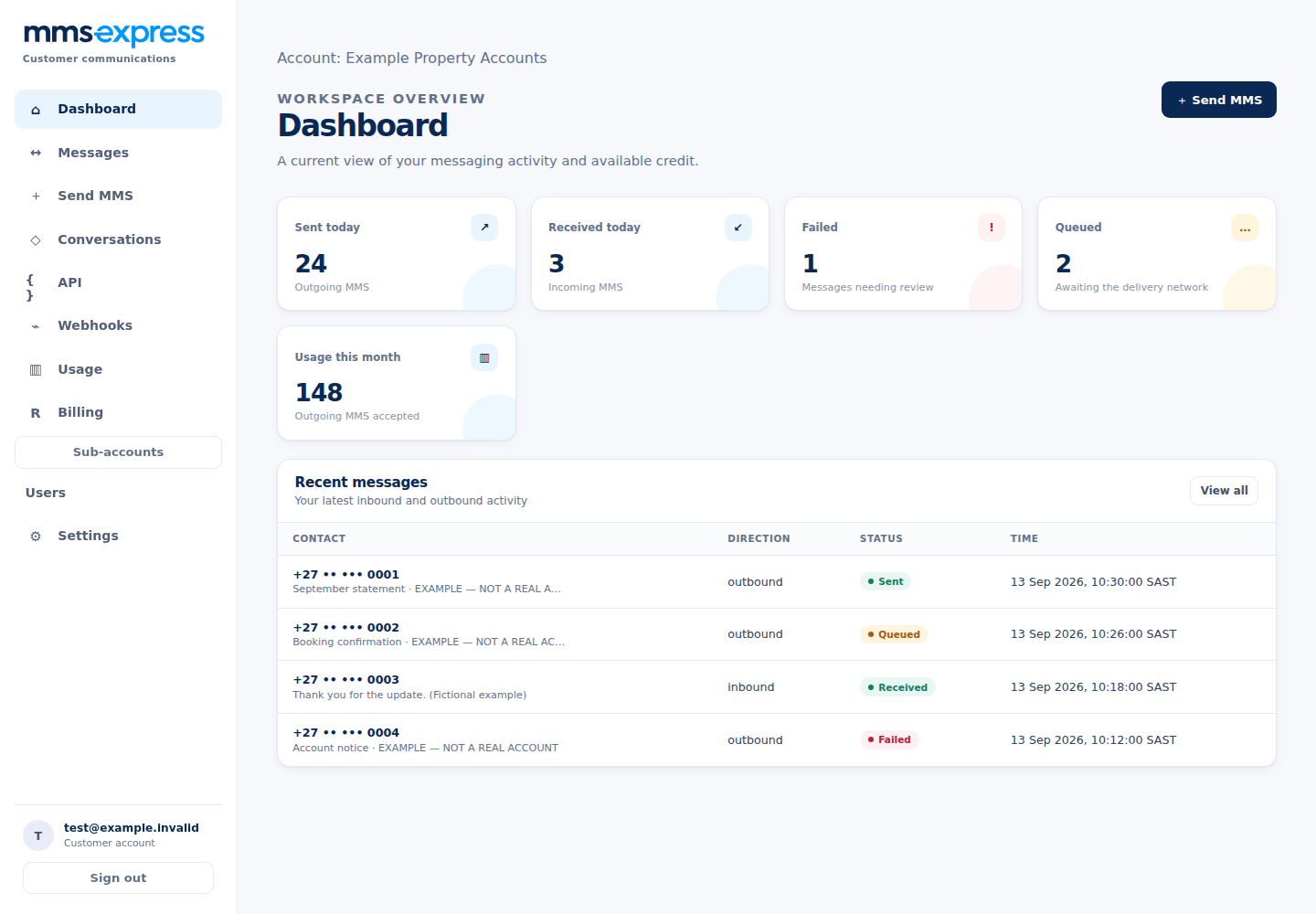
YOUR EVERYDAY WORKSPACE
Give your team a clear view of messaging activity without requiring technical tools.
A CLEARER WAY TO WORK TOGETHER
Create subaccounts for departments, branches or customers while the main account remains responsible for the shared MMS credit balance.
Each subaccount has its own users, API credentials, messages and settings. Main-account administrators can review usage and set monthly subaccount limits.
Talk to us about your organisationIllustrative account structure
CLARITY AFTER EVERY SEND
See recorded message progress, sending outcomes and issues that need attention.
Our reliability methodologyFollow recorded processing and sending history. Accepted and sent are different stages.
Review recorded failures and available error details in your account.
A sent outcome is not proof of recipient delivery or reading. Device and network conditions matter.
FOR THE SOFTWARE YOU ALREADY USE
Connect transactional MMS delivery to your accounting system, CRM, customer portal or other business software.
Building an integration? Talk to us about getting started.
POST /api/v1/messages
Authorization: Bearer <YOUR_API_KEY>
Idempotency-Key: statement-example-001
Content-Type: application/json

{
  "to": "+27<YOUR_TEST_NUMBER>",
  "text": "Your statement is attached.",
  "compressImages": true,
  "targetImageSizeKb": 60,
  "media": [
    {
      "url": "https://example.com/statement.jpg"
    }
  ]
}LOCAL CONTEXT. PRACTICAL COMMUNICATION.
Send transactional information to supported South African mobile numbers through a local business-focused platform.
Plan around your customer's device, mobile network, settings and the content you need to send. Confirm suitability before making MMS part of a critical workflow.
Read about South African availabilityMMS Express is intended for legitimate transactional communication between businesses and their customers: statements, invoices, account notices and confirmations. It is not positioned for unsolicited bulk advertising. An existing relationship does not remove your privacy and messaging obligations.
A FEW USEFUL ANSWERS
Know what to expect from the channel and the product.
Visit the help centreMMS Express helps South African businesses send statements, invoices, notices and other transactional images using MMS — manually or through an API.
No MMS Express app is needed. Your customer needs a device and mobile service that support MMS, with the required messaging settings and connectivity. Check compatibility considerations.
Both. Use the account dashboard to compose a message and attach supported images, or use the MMS Express API from your own server-side software.
Supported image inputs include JPEG, PNG, single-frame GIF and WebP, subject to account configuration and current limits. Outgoing images become JPEG. Keep the relevant content readable on a phone and minimise sensitive information. The API exposes the current limits.
The current sending flow does not accept PDF uploads. Prepare the relevant page or content as a supported image before sending. The recipient receives the processed image with the message, not the original PDF. Avoid dense pages or excessively tall images.
The public website focuses on South African business messaging. Actual compatibility needs confirmation for your intended recipients; we do not publish an unverified operator coverage list. Review availability and limitations or request a controlled demonstration.
MMS reception depends on the phone, the mobile service and its messaging settings. Mobile data or carrier-specific MMS connectivity may be needed. Confirm the recipient's setup with the mobile provider where necessary.
Accepted means the request passed validation and entered processing. Queued means it is waiting. Sent means submission to the sending network was recorded; failed means a failure was recorded. Read the status definitions and measurement methodology.
No. A sent outcome does not prove recipient delivery, opening or reading. Do not treat it as legal proof of delivery. Use a separate confirmation workflow when acknowledgement is essential.
Yes. A main account can fund a shared balance used by its subaccounts. Subaccounts have separate users, API credentials, messages and settings; main-account administrators can review usage and manage monthly limits.
Try the local interactive preview, then request a demonstration or tell us about your integration. The preview does not send any messages.
Contact us for current account and sending information.
MMS Express is intended for legitimate transactional communication, not unsolicited bulk advertising. Review the Acceptable Use information and your applicable privacy and messaging obligations before sending.
MAKE THE IMPORTANT THINGS VISIBLE
Send statements, invoices, notices and other transactional images to your customers' phones.